
Logitech Bolt vs Unifying vs LIGHTSPEED: which receiver do you need?
Logitech uses several receiver families that can look deceptively similar. Bolt, Unifying and LIGHTSPEED are not one universal system, so identifying the receiver type is the first step before pairing or buying a replacement.
Quick answer
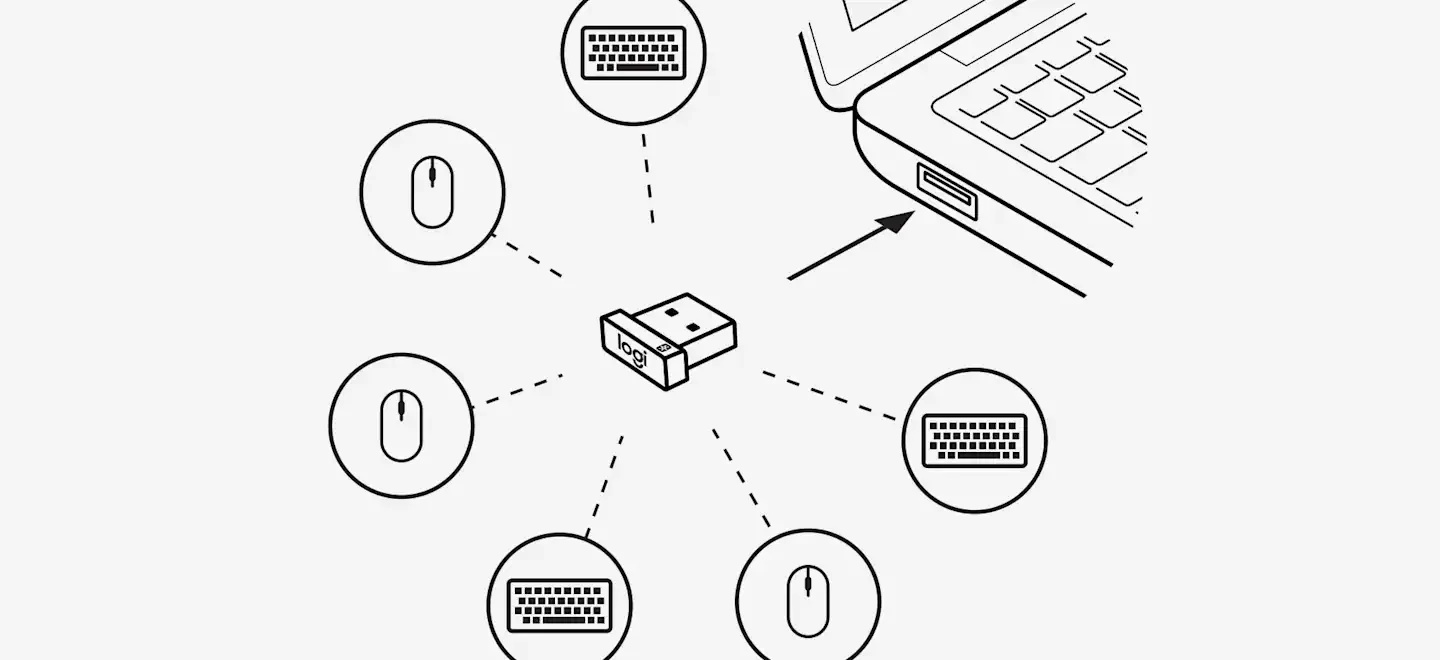
- Logitech Unifying is the older productivity receiver family identified by the orange Unifying logo. A compatible Unifying receiver can handle up to six supported mice and keyboards.
- Logi Bolt is Logitech's newer receiver system for supported non-gaming mice and keyboards. Bolt and Unifying devices cannot be paired across the two ecosystems.
- LIGHTSPEED is Logitech G's gaming wireless family. Do not assume every LIGHTSPEED receiver works with every LIGHTSPEED device; compatibility is determined by the specific receiver and product.
- If the receiver has neither a Bolt nor Unifying mark, treat it as a product-specific 2.4 GHz receiver until you verify compatibility.
Bolt vs Unifying vs LIGHTSPEED at a glance
| Receiver family | Typical devices | Can it use another family? | Main pairing tool |
|---|---|---|---|
| Logitech Unifying | Supported Logitech productivity mice and keyboards | No — not with Bolt | Logi Options+ for supported devices |
| Logi Bolt | Supported Logitech productivity mice and keyboards | No — not with Unifying | Logi Options+ or Logi Web Connect |
| Logitech G LIGHTSPEED | Gaming mice, keyboards, headsets and other Logitech G hardware | Not universal; check the exact receiver/device pairing | Often Logitech G HUB for supported mouse/keyboard receivers; some headsets use a model-specific manual procedure |
| Other 2.4 GHz receiver | Product-specific wireless devices | Usually product-specific | Depends on the model |
Why Logitech has several USB receiver systems
The small USB dongles all perform the same broad job — they create a wireless link between the computer and a peripheral — but the radio protocol, security model and device pairing rules are not the same. That is why a receiver can fit perfectly into a USB port and still be useless for the mouse, keyboard or headset you are trying to connect.
Logitech describes Unifying as its proprietary 2.4 GHz protocol. Logi Bolt is based on Bluetooth Low Energy wireless technology and was designed as a newer platform for supported mice and keyboards. Logitech explicitly states that Bolt and Unifying are not cross-compatible.
For gaming hardware, LIGHTSPEED is a separate Logitech G family. The important detail is that LIGHTSPEED is not a promise that any LIGHTSPEED dongle can be reassigned to any LIGHTSPEED device. Logitech's G HUB Device Pairing Tool first asks you to select a receiver and then only shows devices that are compatible with that receiver.
How to identify a Logitech Unifying receiver
Look for the small orange Unifying symbol on the receiver and for a matching mark on the supported mouse or keyboard. Logitech says one Unifying receiver can connect up to six compatible mice and keyboards.
If your device and receiver both carry the Unifying mark, you do not need the original physical dongle that shipped in the same box. A replacement Unifying receiver can be paired with a compatible Unifying product. That makes Unifying one of the simpler Logitech receiver families to recover after a dongle is lost.
For the actual pairing steps, use our Logitech Unifying pairing guide.
How to identify Logi Bolt
Logi Bolt receivers use the Bolt logo, and supported mice or keyboards should have a matching mark. Logitech recommends checking the symbol on the underside of the device when you are not sure which technology it supports.
A Bolt receiver can be purchased as a replacement and paired to supported Bolt devices through Logi Options+ or Logi Web Connect. What it cannot do is rescue a Unifying-only mouse or keyboard. Logitech is very clear on this point: Bolt devices do not pair with Unifying receivers, and Unifying devices do not pair with Bolt receivers.
How LIGHTSPEED is different
LIGHTSPEED is aimed at Logitech G gaming hardware, where latency, polling behaviour and product-specific firmware matter. This is why the safest approach is to search for the exact receiver compatibility rather than shopping for a generic “Logitech LIGHTSPEED dongle.”
For supported gaming mice and keyboards, Logitech G HUB includes a Device Pairing Tool. The tool detects the selected receiver and then presents only compatible devices. Logitech also sells some replacement gaming receivers with an explicit compatibility list. That list matters more than the LIGHTSPEED logo by itself.
Headsets can follow different rules. For example, the G PRO X 2 replacement-receiver procedure uses the headset and adapter pairing buttons described in Logitech's setup guide rather than treating the receiver as a universal G HUB dongle.
What if there is no Unifying or Bolt logo?
Do not assume the receiver is interchangeable. Logitech's own replacement-receiver support separates Unifying, Bolt and “Other Receiver.” If your product used another type, Logitech advises checking the specific product support path or contacting support when a replacement is not listed.
This is especially important with inexpensive older wireless mice and keyboards. Two nano receivers can be almost identical externally while using different pairing data internally.
Which receiver should you buy?
- Identify the exact Logitech model. Read the model name and, if necessary, the model/part number printed on the device.
- Look for the receiver-family logo. Orange Unifying and Bolt markings are the quickest clue for productivity devices.
- For Logitech G hardware, check the exact compatibility list. Do not buy based on the word LIGHTSPEED alone.
- Only then buy a replacement. A physically identical-looking receiver is not proof of compatibility.
FAQ
Can I pair a Bolt mouse with a Unifying receiver?
No. Logitech states that Bolt and Unifying are not cross-compatible.
Can one Unifying receiver connect multiple devices?
Yes. Logitech says one Unifying receiver can connect up to six compatible mice and keyboards.
Is every LIGHTSPEED receiver universal?
No. Compatibility depends on the receiver and product. G HUB's pairing tool only shows compatible devices for the selected receiver.
Can I use Bluetooth instead of a receiver?
Only if your exact device supports Bluetooth. Receiver support and Bluetooth support are separate product features.
Official Logitech references
Logitech receiver guides
Not every Logitech USB receiver uses the same wireless system. Use the guide that matches the problem you are trying to solve:
Identifying the correct Logitech receiver prevents most wasted troubleshooting and avoids buying a dongle that can never pair with your device.