
What affects game FPS most? GPU, CPU, RAM, resolution and settings
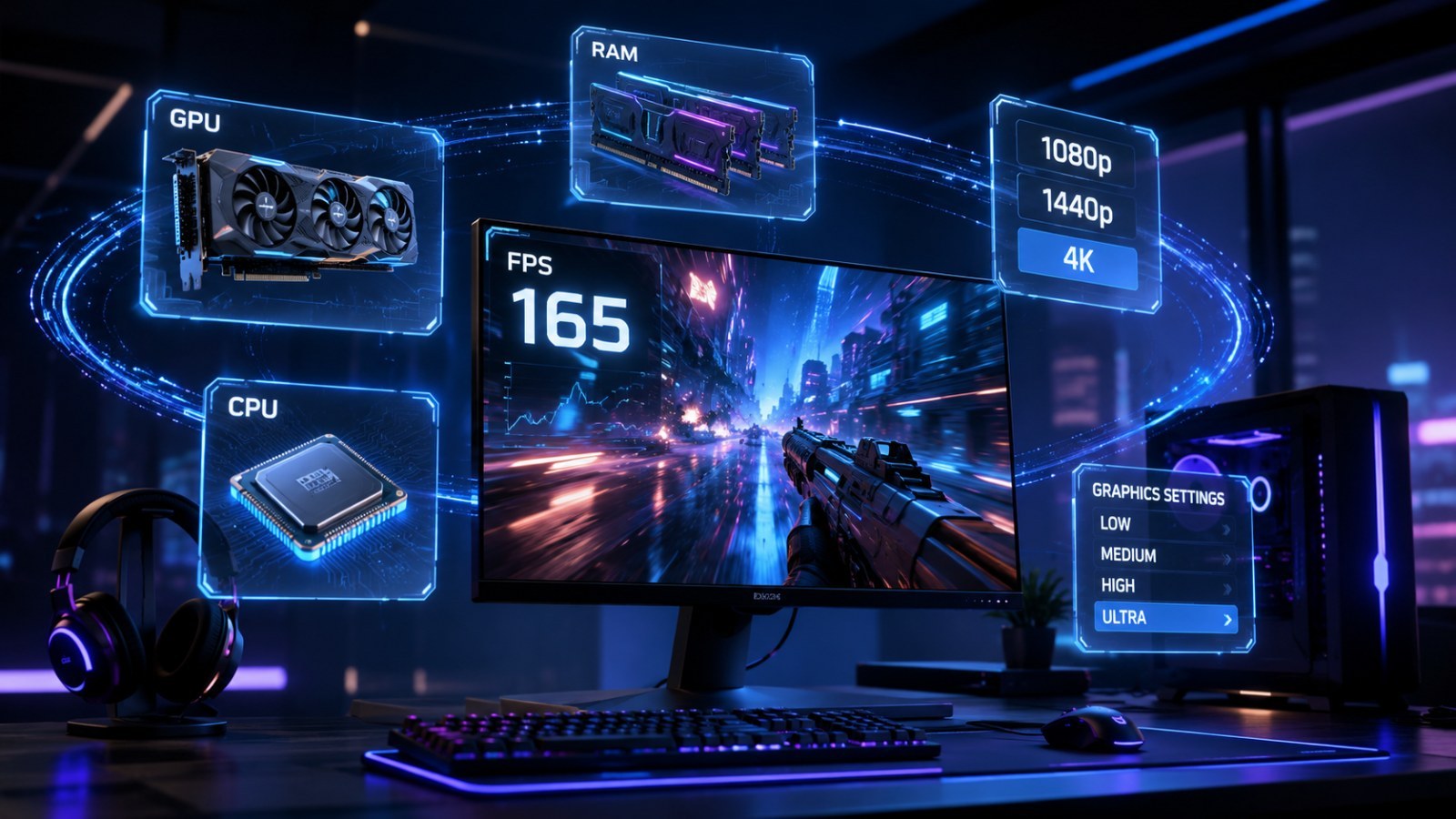
One game can run smoothly while another struggles on the same PC. Frame rate depends on the graphics card, processor, memory, resolution, settings and the game engine itself. Here is how to separate those factors and use ACC64 Game FPS as an estimate before you start changing settings at random.
Key takeaways
- Higher resolution and heavier visual effects usually increase GPU load.
- The CPU matters most at high target frame rates, in simulation-heavy games and in crowded scenes.
- RAM and VRAM shortages often cause stutter or asset streaming issues rather than a simple linear FPS loss.
- Treat an FPS prediction as an approximate range, not a promise of an identical result on every PC.
Quick map: what usually affects performance
| Component | Usually affects | Typical clue |
|---|---|---|
| GPU | Resolution and visual quality | Large FPS gain after lowering graphics |
| CPU | High FPS, AI, physics, crowds | Small change after lowering resolution |
| RAM | Stability and multitasking | Stutter when memory is tight |
| VRAM | Textures and high resolutions | Asset streaming or stutter at high textures |
| SSD | Loading and asset streaming | Hitches while new areas load |
FPS is produced by the whole PC, not one component
A fast GPU cannot remove every bottleneck
Frame rate is the result of a chain of work. The CPU prepares game logic and draw data, the GPU renders the image, memory holds active assets and the game engine decides how efficiently those resources are used. That is why two games can differ dramatically on exactly the same hardware.
Instead of looking for one magic component, watch how performance changes when you alter one setting. A large FPS gain after reducing visual quality usually points toward GPU pressure. Very little change after lowering resolution can suggest a CPU or engine limit.
- Change one setting at a time.
- Judge stability as well as the highest FPS number.
- Laptop power limits can make similarly named hardware perform differently.
GPU bottleneck or CPU bottleneck?
Resolution is one of the most useful clues
The GPU is strongly affected by resolution, shadows, reflections, volumetric effects and ray tracing. Moving from 1080p to 1440p or 4K means rendering many more pixels. If frame rate improves clearly when resolution or heavy effects are reduced, the GPU probably had little headroom.
The CPU becomes more important at very high FPS and in strategy games, simulators, large cities or scenes with many characters. In that case the GPU may wait for new work from the processor, so lowering textures or resolution may not produce a large gain.
- GPU: resolution, shadows, reflections, RT, post effects.
- CPU: AI, physics, crowds, simulation, high refresh targets.
- Compare the same scene when possible.
RAM, VRAM and storage: why stutter is not always low FPS
Average frame rate can look fine while the game still feels rough
Insufficient system RAM can force more data to move between memory and storage. Limited VRAM with high texture settings can trigger asset streaming, quality changes or short stalls. Those symptoms are often described as low FPS even when the average number looks acceptable.
An SSD normally does not increase average FPS like a faster GPU would, but it can reduce loading time and improve asset streaming in some games. It helps to separate constant low performance from brief stutters that happen when new areas are loaded.
- RAM: enough capacity for the game plus the operating system.
- VRAM: especially relevant to textures and high resolutions.
- Storage: mainly loading and asset streaming.
How to use ACC64 Game FPS sensibly
Choose the game and hardware, then compare scenarios
ACC64 Game FPS lets you select a game, CPU, GPU, RAM amount, resolution and quality level. The tool compares the hardware class with the game profile and returns an estimated performance range. It is not a live benchmark and it does not promise a specific frame rate; it is a practical prediction for comparing configurations and settings.
The most useful approach is to compare several combinations. Check 1080p and 1440p, then High and Medium. If the estimate changes strongly with resolution, GPU load is probably important. If the result barely moves, another limit may matter more.
- Choose the exact or closest CPU/GPU model.
- Use your monitor’s native resolution as a baseline.
- Compare two or three presets instead of one result.
- Treat the output as an estimate.
What to do when the predicted FPS is too low
Start with settings that have the highest cost
For a GPU-limited setup, begin with ray tracing, shadows, reflections, volumetrics and render resolution. Upscaling can improve frame rate at some cost to image quality. For CPU-limited games, crowd density, view distance or simulation settings can matter more when those options are available.
Finally check the basics: current drivers, temperatures, power mode, background applications and laptop power limits. If real performance still differs greatly from the estimate, investigate a game-specific setting or a hardware issue instead of changing everything at once.
- Change one variable at a time.
- Use the same scene or built-in benchmark for comparison.
- Do not lower everything to minimum before identifying the real limit.
Good FPS diagnosis is about comparing scenarios, not chasing one number. ACC64 Game FPS can provide an estimated performance level for a selected game, PC and settings, and the final result should then be checked in the actual game. This makes it easier to decide whether the first change should be graphics quality, resolution, or investigation of a CPU or memory limit.
FAQ
Does ACC64 Game FPS show an exact FPS number?
No. It provides an approximate prediction based on the selected configuration and game profile. Actual FPS also depends on game version, drivers, temperatures, background tasks and the scene.
Does adding more RAM always increase FPS?
No. Once you have enough memory, extra capacity usually does not greatly increase average FPS, although too little RAM can cause stutter.
Why is 1440p slower than 1080p?
A higher resolution requires the GPU to render more pixels, so graphics load usually rises.
What should I check first when FPS is low?
Compare resolution and graphics presets, check CPU/GPU load, temperatures and background tasks, then change one variable at a time.
ACC64 editorial article prepared from the cited materials and approved before publication.