
Best gaming keyboards 2026 – top keyboards for PC gamers
Gaming keyboards have changed quickly: adjustable actuation, magnetic switches and Rapid Trigger are no longer niche features reserved for a handful of enthusiast boards. Our 2026 selection focuses on current models that combine useful gaming technology with sensible layouts, configuration options and everyday usability.
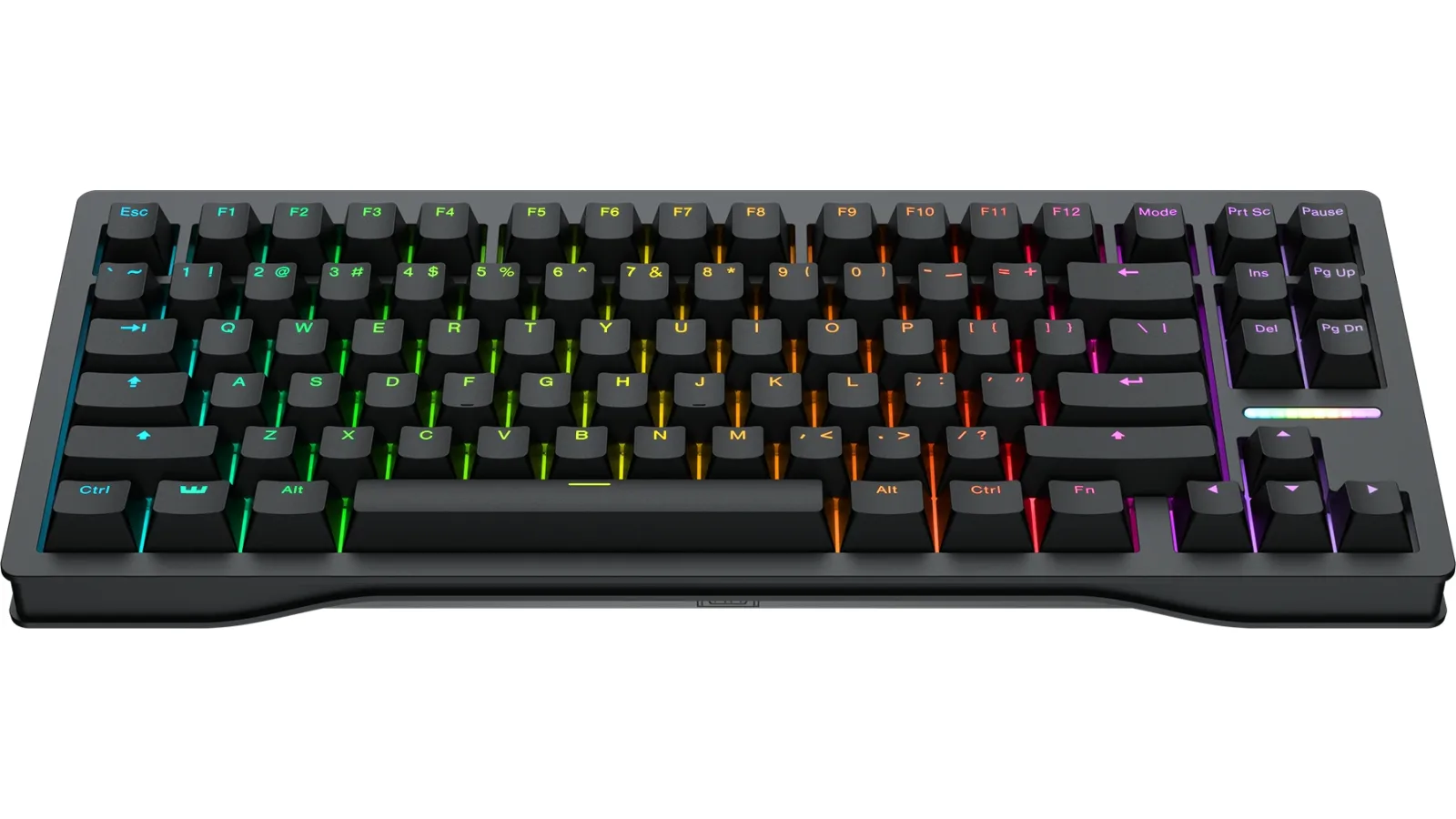
Key takeaways
- Wooting 80HE takes the top spot for its unusually complete combination of Hall Effect input, customization and keyboard construction.
- Razer Huntsman V3 Pro Tenkeyless 8KHz is one of the strongest choices for competitive FPS players.
- Keychron Q1 HE 8K makes more sense than many esports-focused boards if typing feel and a substantial metal chassis matter too.
- Extremely shallow actuation is not automatically better: overly sensitive keys can create accidental inputs.
Best gaming keyboards 2026 – comparison
| Rank | Model | Layout | Switch technology | Actuation | Key features |
|---|---|---|---|---|---|
| 1 | Wooting 80HE | 80% | Hall Effect / Lekker L60 v2 | adjustable with 0.1 mm precision | Rapid Trigger, Rappy Snappy, True 8 kHz |
| 2 | Razer Huntsman V3 Pro Tenkeyless 8KHz | TKL | Gen-2 Analog Optical | 0.1–4.0 mm | Rapid Trigger, Snap Tap, 8000 Hz |
| 3 | SteelSeries Apex Pro TKL Gen 3 | TKL | OmniPoint 3.0 Magnetic | 0.1–4.0 mm | Rapid Trigger, Rapid Tap, Protection Mode, OLED |
| 4 | Keychron Q1 HE 8K | 75% | Magnetic | 0.1–3.35 mm | 8000 Hz, aluminum body, double gasket |
| 5 | Corsair K70 PRO TKL | TKL | MGX Hyperdrive Hall Effect | 0.1–4.0 mm | Rapid Trigger, FlashTap, 8000 Hz |
| 6 | Logitech G PRO X TKL RAPID | TKL | Magnetic Analog | per-key adjustable | Rapid Trigger, KEYCONTROL, Multi Point |
| 7 | ASUS ROG Falchion Ace HFX | 65% | ROG HFX Magnetic | 0.1–4.0 mm | Rapid Trigger, Speed Tap, 8000 Hz |
What makes a great gaming keyboard in 2026?
Specs matter, but they are only part of the decision
A modern gaming keyboard can advertise 8000 Hz polling, 0.1 mm actuation and several different rapid-input modes, yet still be the wrong board for a particular player. We therefore look at the complete package: switch technology, layout, adjustability, software, onboard controls, construction and how easily the keyboard can be configured for both games and normal desktop use.
This ranking uses current specifications published by the manufacturers. We are not presenting unverified latency measurements or pretending that every claimed feature produces the same advantage for every player. The order is editorial: boards rank higher when their feature set is broadly useful and when there are fewer obvious compromises for their intended audience.
Your games should influence the choice. A low-sensitivity FPS player may value a compact body because it leaves more room for the mouse. Someone who also codes, edits documents or uses function keys throughout the day may find a TKL or 75% layout far more practical than a minimal 60% or 65% design.
- Judge the entire keyboard, not one headline specification.
- Choose a layout around your desk and normal workflow.
- Treat advanced input modes as tools that still need proper setup.
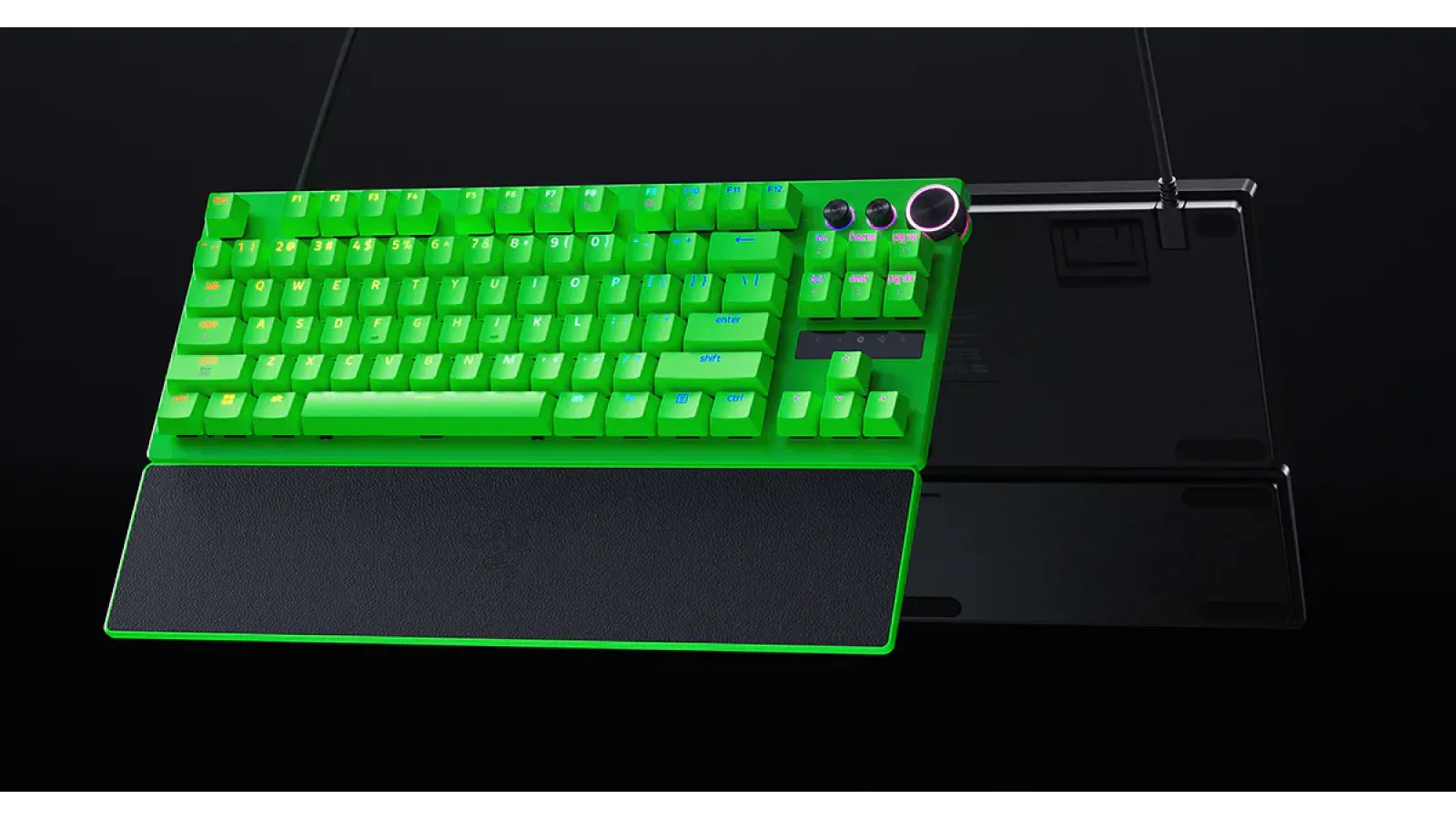
The top three: Wooting 80HE, Razer Huntsman V3 Pro TKL 8KHz and Apex Pro TKL Gen 3
Our leading picks for competitive gaming
Wooting 80HE is our number-one gaming keyboard for 2026. Its 80% layout combines Hall Effect Lekker L60 v2 switches with Rapid Trigger, True 8 kHz polling and Wooting's Rappy Snappy input feature. Per-key actuation can be tuned with 0.1 mm precision. The silicone gasket mount, polycarbonate switch plate and screw-in stabilizers also show that the board was designed around feel and acoustics rather than raw input settings alone.
Razer Huntsman V3 Pro Tenkeyless 8KHz takes second place. The current TKL model uses Gen-2 Analog Optical switches, an adjustable 0.1–4.0 mm actuation range, Rapid Trigger, Snap Tap and true 8000 Hz HyperPolling. Its focus is clear: this is a board for players who spend a lot of time in shooters and want aggressive movement settings without giving up the dedicated function row and navigation keys of TKL.
Third is SteelSeries Apex Pro TKL Gen 3. OmniPoint 3.0 magnetic switches provide adjustable 0.1–4.0 mm actuation, while Rapid Trigger, Rapid Tap and Protection Mode address different aspects of fast input and accidental presses. QuickSet profiles, onboard configuration, an OLED display and an aluminum top plate make it particularly attractive to players who regularly switch settings between games.
- 1. Wooting 80HE – best overall
- 2. Razer Huntsman V3 Pro Tenkeyless 8KHz – excellent for FPS
- 3. SteelSeries Apex Pro TKL Gen 3 – strong profiles and onboard features
Four alternatives worth considering
Keychron, Corsair, Logitech and ASUS target different priorities
Keychron Q1 HE 8K ranks fourth and is arguably the most interesting option here for somebody who wants a premium keyboard first and a competitive gaming device second. It uses a 75% layout, magnetic switches and wired polling up to 8000 Hz. Actuation can be adjusted from 0.1 to 3.35 mm with very fine sensitivity settings. A full aluminum body, double-gasket construction and PBT keycaps make it substantially different in character from a lightweight esports board.
Corsair K70 PRO TKL comes fifth. Its MGX Hyperdrive magnetic switches offer Hall Effect sensing, Rapid Trigger and adjustable 0.1–4.0 mm actuation, while AXON supports 8000 Hz hyper-polling. Dual-actuation options and FlashTap expand the input configuration further. It is an especially logical purchase for an existing Corsair user who already manages lighting and peripherals through iCUE.
Logitech G PRO X TKL RAPID is sixth, with magnetic analog switches, Rapid Trigger, adjustable per-key actuation, KEYCONTROL and Multi Point actions based on press depth. ASUS ROG Falchion Ace HFX takes seventh place but has a clear niche: its compact 65% layout, HFX magnetic switches, 0.1–4.0 mm adjustment, Rapid Trigger, Speed Tap and 8000 Hz polling make it one of the most space-efficient boards in this group.
- 4. Keychron Q1 HE 8K – premium build and gaming features
- 5. Corsair K70 PRO TKL – a natural fit for the iCUE ecosystem
- 6. Logitech G PRO X TKL RAPID – straightforward competitive design
- 7. ASUS ROG Falchion Ace HFX – compact 65% specialist
Is your keyboard working as it should?
Check keys, ghosting and keyboard response in a few moments — no install and no need to leave this page.
Hall Effect and Rapid Trigger: what do they actually do?
Understanding the feature is more useful than chasing the lowest number
A conventional mechanical switch usually triggers after its contacts reach a defined point. A magnetic keyboard can measure key travel continuously, which makes adjustable actuation and dynamic reset behavior possible. This is the basis for Rapid Trigger: instead of waiting for a traditional fixed reset point, the key can deactivate as you begin to release it and reactivate when movement changes again.
That can be useful for repeated movement inputs, particularly when a game requires rapid stopping and direction changes. It does not mean every key should be configured at 0.1 mm. At extremely shallow settings, simply resting a finger on a key may trigger an unwanted command. A practical profile often uses more sensitive WASD settings and deeper actuation for abilities, grenades, menus and keys you do not want to hit accidentally.
Last-input-priority features such as Snap Tap, Rapid Tap, FlashTap, Speed Tap and comparable modes need separate consideration. They change how opposing directional inputs are resolved. Because individual games, competitive platforms and tournament organizers can set their own rules, check the current rules before using these functions in competition rather than assuming every available keyboard mode is permitted everywhere.
- Rapid Trigger changes reset behavior, not merely initial actuation.
- Very shallow settings can improve responsiveness but reduce input tolerance.
- Check competitive rules before enabling directional-priority features.
TKL vs 75% vs 65%: picking the right layout
Desk space and key access both matter
Tenkeyless remains the safest gaming layout for most people. Removing the numpad creates noticeably more mouse space while retaining the function row, arrow keys and familiar navigation cluster. If the same PC is used for gaming and work, TKL usually involves very little adjustment and still allows the keyboard to sit closer to the mouse.
A 75% keyboard compresses those functions into a tighter footprint. It is particularly effective on a smaller desk because you keep the F-row and arrows without the larger gaps of a conventional TKL. Keychron Q1 HE 8K demonstrates how this layout can also work with a heavy, premium chassis rather than the stripped-down construction normally associated with competitive gaming gear.
A 65% keyboard saves even more space but moves more commands onto secondary layers. The ROG Falchion Ace HFX is an appealing example if mouse room is a priority, but check your habits first. If you constantly use F1–F12, Print Screen, dedicated navigation buttons or complex shortcuts, the few centimeters saved may not compensate for the extra Fn combinations.
- TKL – easiest all-round recommendation.
- 75% – compact without giving up the F-row.
- 65% – maximum mouse room with more reliance on layers.
Setting up a gaming keyboard properly
Fix sensitivity problems before blaming the hardware
After connecting a new board, update its firmware and configuration software before spending time building profiles. Create a separate gaming profile and start with moderate actuation rather than immediately selecting the minimum value. Once the controls feel predictable, reduce the actuation distance on the few keys where faster response genuinely helps.
If your character moves unexpectedly or commands trigger when you merely touch the keycaps, increase actuation depth. If strange behavior occurs specifically when A and D or other opposing directions are pressed together, temporarily disable any last-input or directional-priority mode. Testing the keyboard in a simple configuration is the fastest way to distinguish an overly aggressive profile from a hardware fault.
For 8000 Hz operation, connect the keyboard directly to a suitable USB port rather than troubleshooting through a hub or KVM first. Confirm the polling setting in the manufacturer's utility and install current firmware. If a particular game develops stutters or inconsistent input, compare it with a lower polling mode if the keyboard provides one. Stable, repeatable input is more useful than simply selecting the largest number in a menu.
- Update firmware before tuning profiles.
- Use separate gaming and typing profiles when possible.
- Increase actuation if accidental inputs appear.
- Test high polling rates with a direct USB connection.
Wooting 80HE is our best overall gaming keyboard for 2026 because it combines deep input customization with a design that also pays attention to feel and construction. Razer Huntsman V3 Pro Tenkeyless 8KHz is an excellent alternative for competitive FPS players, while SteelSeries Apex Pro TKL Gen 3 is particularly flexible for users who maintain multiple game profiles. Choose Keychron Q1 HE 8K if premium typing feel matters as much as gaming. Most importantly, do not buy a board solely because it advertises 0.1 mm actuation or 8000 Hz polling: layout, comfort and predictable configuration matter just as much.
FAQ
What is the best gaming keyboard in 2026?
Wooting 80HE takes first place in our ranking because of its combination of Hall Effect switches, Rapid Trigger, True 8 kHz polling, extensive configuration and well-considered construction. A different model may still be better if you want a specific layout or software ecosystem.
Are Hall Effect keyboards better than mechanical keyboards?
They can provide gaming features that ordinary mechanical switches cannot easily reproduce, especially adjustable actuation and dynamic Rapid Trigger behavior. That does not make every magnetic keyboard superior in build quality, typing feel or ergonomics.
Is 8000 Hz polling worth it on a keyboard?
It increases how frequently the keyboard can report input compared with 1000 Hz, but the timing difference is small. Treat it as a useful high-end feature rather than the main reason to choose one keyboard over another.
Should I set actuation to 0.1 mm?
Not necessarily. Extremely shallow actuation can produce accidental commands. Start with a less sensitive value and lower it selectively for movement keys once you know the keyboard remains predictable.
ACC64 editorial article prepared from the cited materials and approved before publication.