
Best Mouse for Fortnite in 2026 – Which Gaming Mouse Should You Choose?
Fortnite puts unusual demands on a mouse: precise aim matters, but so do fast turns, repeated clicks, building and editing. The best choice in 2026 is therefore not simply the mouse with the highest DPI or polling rate; shape, weight, button placement and grip compatibility matter more.
Key takeaways
- The Razer Viper V4 Pro is our strongest all-round recommendation for competitive Fortnite.
- The DeathAdder V4 Pro is the more natural choice for players who prefer an ergonomic right-handed shell.
- Logitech's PRO X2 SUPERSTRIKE stands out with adjustable main-button actuation and reset behavior.
- 1000 Hz remains perfectly viable; 4000 and 8000 Hz are optional upgrades rather than necessities.
- Choose a shape that fits your hand before comparing maximum sensor numbers.
Recommended Fortnite mice for 2026
| Model | Profile | Polling rate | Key advantage |
|---|---|---|---|
| Razer Viper V4 Pro | 49 g, right-handed symmetrical | Up to 8000 Hz | Extremely light design for claw and fingertip |
| Razer DeathAdder V4 Pro | 56 g, ergonomic | Up to 8000 Hz | More hand support and a larger right-handed shape |
| Logitech G PRO X2 SUPERSTRIKE | HERO 2, HITS system | Up to 8000 Hz with supported PRO receiver | Adjustable main-button actuation and reset |
| Logitech G PRO X SUPERLIGHT 2c | 51 g, compact | Up to 8000 Hz with supported PRO receiver | Strong fit for smaller hands and fingertip users |
| Endgame Gear OP1w 4k v2 | 59.5 g, narrow profile | Up to 4000 Hz | Claw-oriented shape |
| ZOWIE U2-DW | 60 g, right-handed symmetrical | Up to 4000 Hz | Driverless hardware configuration |
What actually makes a mouse good for Fortnite?
Aim is only part of the workload
Fortnite is more demanding on mouse control than a shooter built around aiming alone. A single fight can involve a long swipe for a quick turn, tiny corrections while tracking an opponent, rapid clicks, edits and several building inputs. That means a good Fortnite mouse needs a combination of predictable tracking, low weight, easily accessible side buttons and a shell that stays secure when you repeatedly lift and reposition it.
Lightweight designs are especially useful for players running relatively low sensitivity because they reduce the effort required for large movements. Many current competitive models sit around the 50–60 g range, with some dropping even further. Weight is not everything, though. An extremely light mouse that is too short, too narrow or too flat for your hand can force you to squeeze harder, which may reduce consistency during longer sessions.
Huge DPI specifications deserve less attention than marketing pages suggest. Most players will use only a small portion of the sensor's available range. Reliable wireless performance, well-positioned buttons, predictable clicks, good skates and a comfortable grip will have a much larger effect on day-to-day Fortnite play than the difference between two already excellent modern optical sensors.
- Prioritize shape and grip security.
- Low weight is most useful during repeated large movements.
- Two well-positioned side buttons are particularly useful in Fortnite.
The best Fortnite mice to consider in 2026
Six options for different hands and grip styles
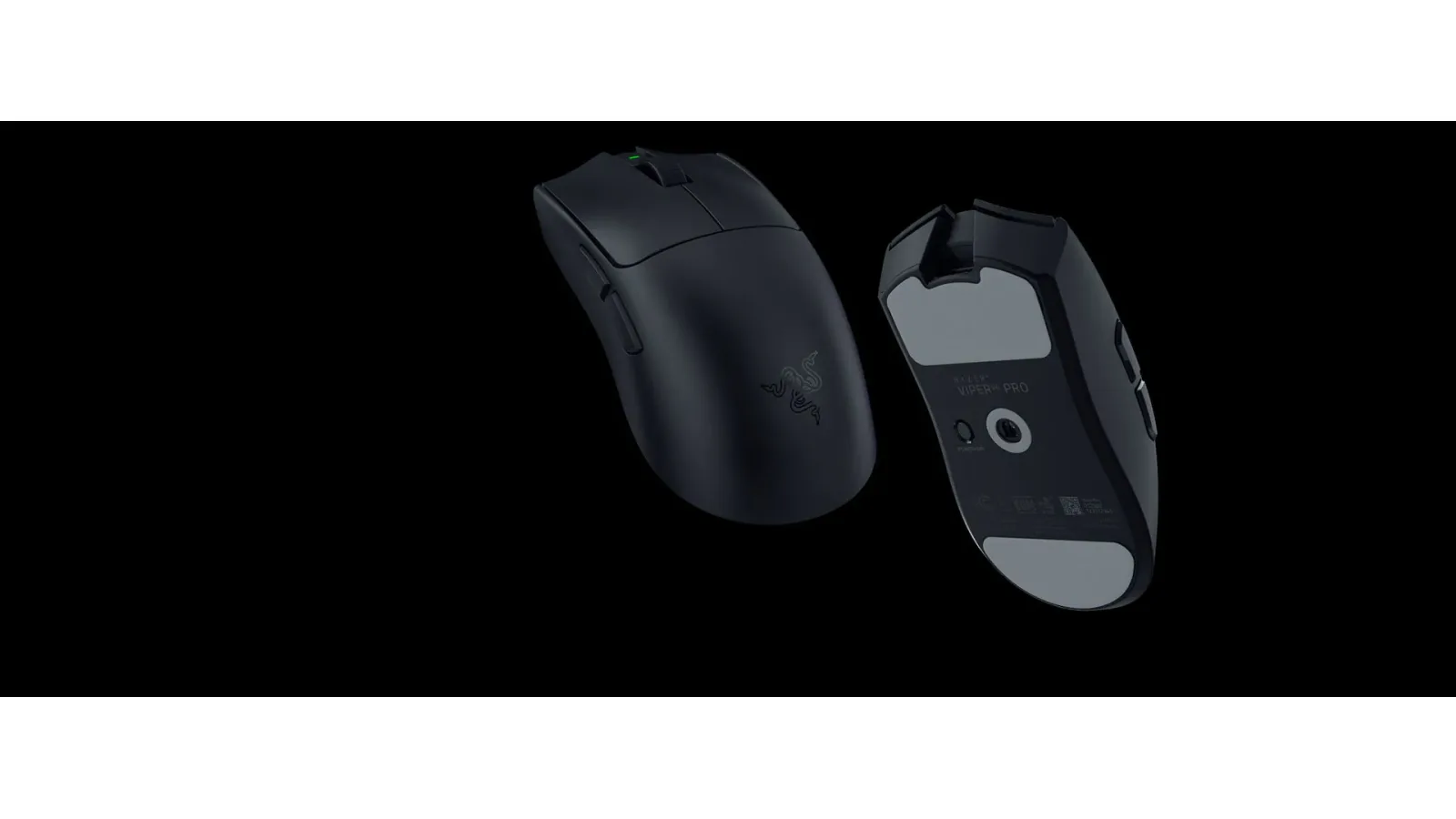
Our first choice is the Razer Viper V4 Pro. The black version weighs about 49 g, supports true wireless polling up to 8000 Hz and uses Razer's Focus Pro 50K Gen-3 optical sensor. Its right-handed symmetrical shell is aimed particularly at claw and fingertip users. The combination makes it well suited to quick direction changes and constant micro-adjustments, although there is no requirement to run it at 8000 Hz all the time.
Players who want more palm support should look at the Razer DeathAdder V4 Pro instead. Its black version is approximately 56 g and the mouse supports polling up to 8000 Hz in wireless and wired modes. The larger right-handed ergonomic shell creates a very different feeling from the Viper, making it a better starting point for larger hands, palm grip and relaxed claw users.
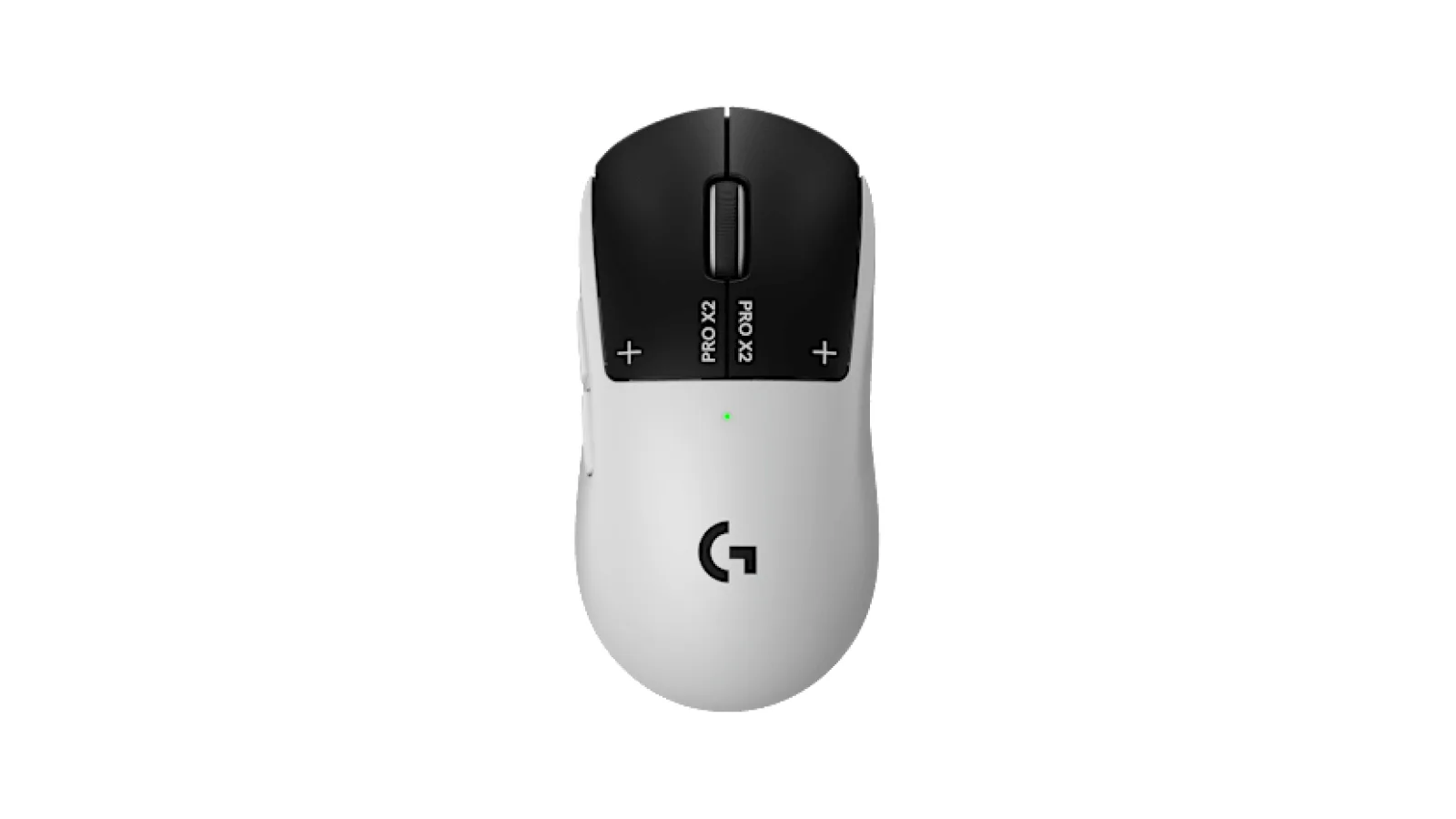
Logitech's PRO X2 SUPERSTRIKE takes a different approach. Its Haptic Inductive Trigger System allows the main buttons' actuation and rapid-reset behavior to be adjusted, along with the click feedback. For a game involving so many repeated presses, that is a genuinely interesting form of customization. The PRO X SUPERLIGHT 2c is the more conventional Logitech option: a compact 51 g shell, HERO 2 sensor and a manufacturer-rated battery life of up to 95 hours.
Endgame Gear's OP1w 4k v2 is another strong option for claw users. It weighs around 59.5 g, uses a customized PixArt PAW3950 sensor and supports wireless polling up to 4000 Hz. ZOWIE's U2-DW weighs about 60 g and also reaches 4000 Hz, but its particular appeal is driverless operation. DPI, report rate and several other settings can be controlled on the hardware itself.
- Best all-rounder: Razer Viper V4 Pro.
- Ergonomic choice: Razer DeathAdder V4 Pro.
- Best for click customization: Logitech G PRO X2 SUPERSTRIKE.
- Compact option: Logitech G PRO X SUPERLIGHT 2c.
- Claw-focused alternative: Endgame Gear OP1w 4k v2.
- Driverless option: ZOWIE U2-DW.
Match the shape to your hand, not the spec sheet
Palm, claw and fingertip grip change the answer
Modern high-end gaming sensors are already extremely capable, which means shape differences are often easier to feel than sensor differences. A mouse that allows your fingers to remain relaxed after an hour of play is usually a better purchase than one with a more impressive headline specification but an awkward shell. Pay attention to length, width, hump position and the way your thumb reaches the side buttons.
Claw grip usually combines palm contact near the rear of the mouse with noticeably bent fingers. The Viper V4 Pro, OP1w 4k v2 and U2-DW all deserve consideration for this style, although their shapes are not identical. Fingertip users rely more heavily on their fingers to move the mouse, so shorter and lighter designs such as the SUPERLIGHT 2c may feel easier to control.
Palm grip places more of the hand on the shell. Very compact mice can become uncomfortable here because the fingers may hang over the front or remain unnaturally bent. The ergonomic DeathAdder V4 Pro is the obvious model in this list to try first if you want fuller support. Whenever possible, physically testing a mouse is more useful than comparing another few thousand DPI on a specification page.
- Claw users should pay attention to rear-hump support.
- Fingertip often works well with shorter, lighter mice.
- Palm users generally benefit from enough length and hand support.
Fortnite DPI and polling rate settings
Start simple before enabling 8000 Hz
A sensible starting point is 800 or 1600 DPI, followed by adjusting Fortnite's in-game sensitivity until large turns and precise aiming both feel manageable. There is no universal correct number. The important part is making sure you can rotate comfortably without constantly reaching the edge of the mouse pad while still retaining enough precision for distant targets.
Polling rate describes how often the mouse reports data to the PC. At 1000 Hz, the interval is roughly 1 ms; 2000 Hz reduces that to about 0.5 ms, 4000 Hz to 0.25 ms and 8000 Hz to 0.125 ms. The theoretical intervals get smaller, but the practical gains also become increasingly subtle. Higher polling can additionally increase system overhead and reduce wireless battery life.
For that reason, 1000 Hz remains a very good baseline. Players with a fast processor, high and stable frame rates and a high-refresh display can experiment with 2000 or 4000 Hz. Treat 8000 Hz as an optional tuning setting rather than something you must enable. If Fortnite develops unusual frametime spikes or micro-stutter after increasing polling, test the next lower setting.
- Try 800 or 1600 DPI first.
- 1000 Hz remains an excellent default.
- Experiment with higher polling only while watching frame consistency.
- Disable Windows Enhance pointer precision when you want predictable raw-feeling mouse behavior.
Use the side buttons intelligently
Reduce keyboard strain without relying on automation
Fortnite uses more inputs than a traditional shooter, particularly when building and editing are involved. Moving one or two frequently used actions to the mouse can reduce the workload on the keyboard hand. The key is to choose commands you can activate with your thumb without shifting your grip or disturbing aim.
Copying a professional player's bindings is not automatically useful. Different hand sizes, keyboards, key switches and grip styles can make the same layout feel completely different. Choose bindings that become instinctive for you, then keep them long enough to develop muscle memory. Constantly changing the layout often creates more problems than the original configuration.
There is also an important distinction between remapping a physical button and configuring a macro that performs an automated sequence. For competitive and ranked play, use straightforward one-input-per-press bindings and follow Epic's current rules. Automated command sequences are unnecessary for good Fortnite mechanics and can create both compliance and consistency problems.
- Move frequently used actions to buttons that are easy to reach.
- Do not change bindings every few matches.
- Avoid automated multi-action macros.
How to tell whether a new mouse is actually better
A practical test before you commit
A new mouse normally feels strange for the first few hours because hump height, side curvature, sensor position and button tension are different from what your hand has learned. When testing a new model, copy your old DPI and Fortnite sensitivity first. That isolates the physical mouse as the main new variable instead of changing the entire aiming setup at once.
Test three situations separately: controlled tracking, large fast turns and several minutes of intensive building and editing. Pay attention to accidental side-button presses, whether you can lift the mouse securely and whether your thumb or little finger starts becoming tense. Those observations often reveal fit problems more reliably than a single aim-trainer score.
If movement feels inconsistent, check the basics before blaming the sensor. Clean the mouse pad, verify battery level, position the wireless receiver reasonably close to the mouse and test another polling rate. A mouse that behaves poorly at 4000 or 8000 Hz on a particular PC may work perfectly at 1000 Hz, which is still fast enough for competitive gaming.
- Keep your existing sensitivity during the first test.
- Test tracking, flicks and building separately.
- Judge comfort after more than a few minutes.
- Use 1000 Hz as a troubleshooting baseline.
For most competitive Fortnite players, the Razer Viper V4 Pro is the strongest all-round recommendation in this group. It combines very low weight, a modern sensor, high-speed wireless operation and a shape aimed at fast control. That does not make it universally best. The DeathAdder V4 Pro is more appropriate if you want ergonomic hand support, the SUPERLIGHT 2c suits smaller hands, and the OP1w 4k v2 is worth considering for a narrower claw-oriented grip. The PRO X2 SUPERSTRIKE is especially interesting if you want to tune the behavior of the main clicks themselves. Buy for shape first, weight and buttons second, and maximum DPI or polling figures last.
FAQ
What is the best mouse for Fortnite in 2026?
Our best all-round choice is the Razer Viper V4 Pro, but grip and hand size can change the answer. DeathAdder V4 Pro is better suited to ergonomic preferences, while SUPERLIGHT 2c is a strong compact option.
Do I need 8000 Hz polling for Fortnite?
No. It can reduce the theoretical interval between reports, but 1000 Hz is already very responsive. Higher rates make the most sense on a fast PC with stable frame rates.
What DPI should I use for Fortnite?
800 or 1600 DPI are useful starting points. Adjust in-game sensitivity afterward rather than chasing a specific number used by another player.
Are wireless mice good enough for competitive Fortnite?
Yes. Current esports-oriented 2.4 GHz wireless mice are designed for competitive play. Keep the receiver properly positioned and the battery charged.
ACC64 editorial article prepared from the cited materials and approved before publication.